
Monthly
$3.99per month
14-day introductory offer for subscribers Apple determines are eligible.
Choose Monthly in the Apple App StoreAvailable now for Apple
Start with your income, choose your categories, and give your money a job. Then keep the same plan close on iPad and Mac through your private iCloud storage, without connecting a bank.
Alfie Basic is free forever · No account signup · Works offline
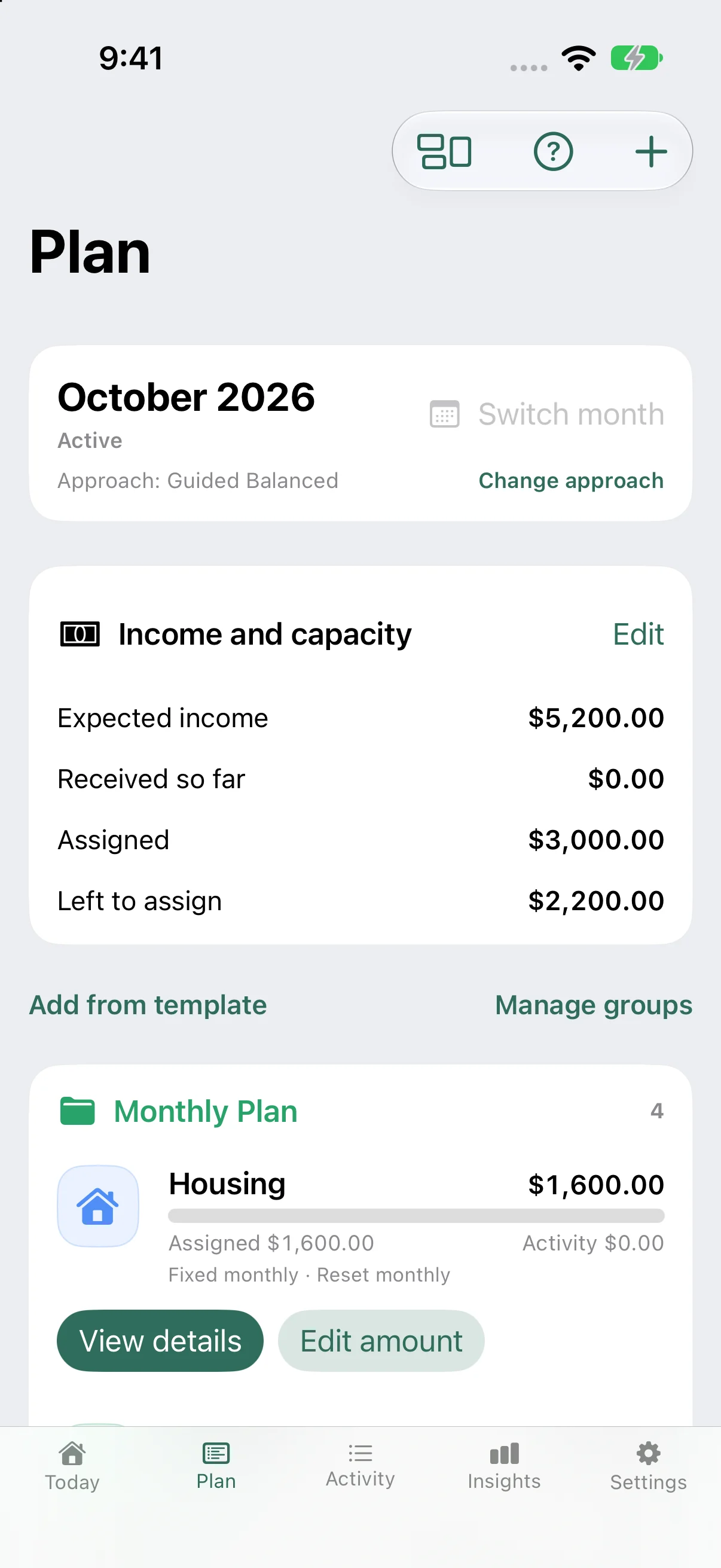
Start with a real plan.See what every dollar needs to do next.
Your first budget
Go from a blank page to your real, editable Today dashboard with Alfie Basic. Explore Premium when you need more.
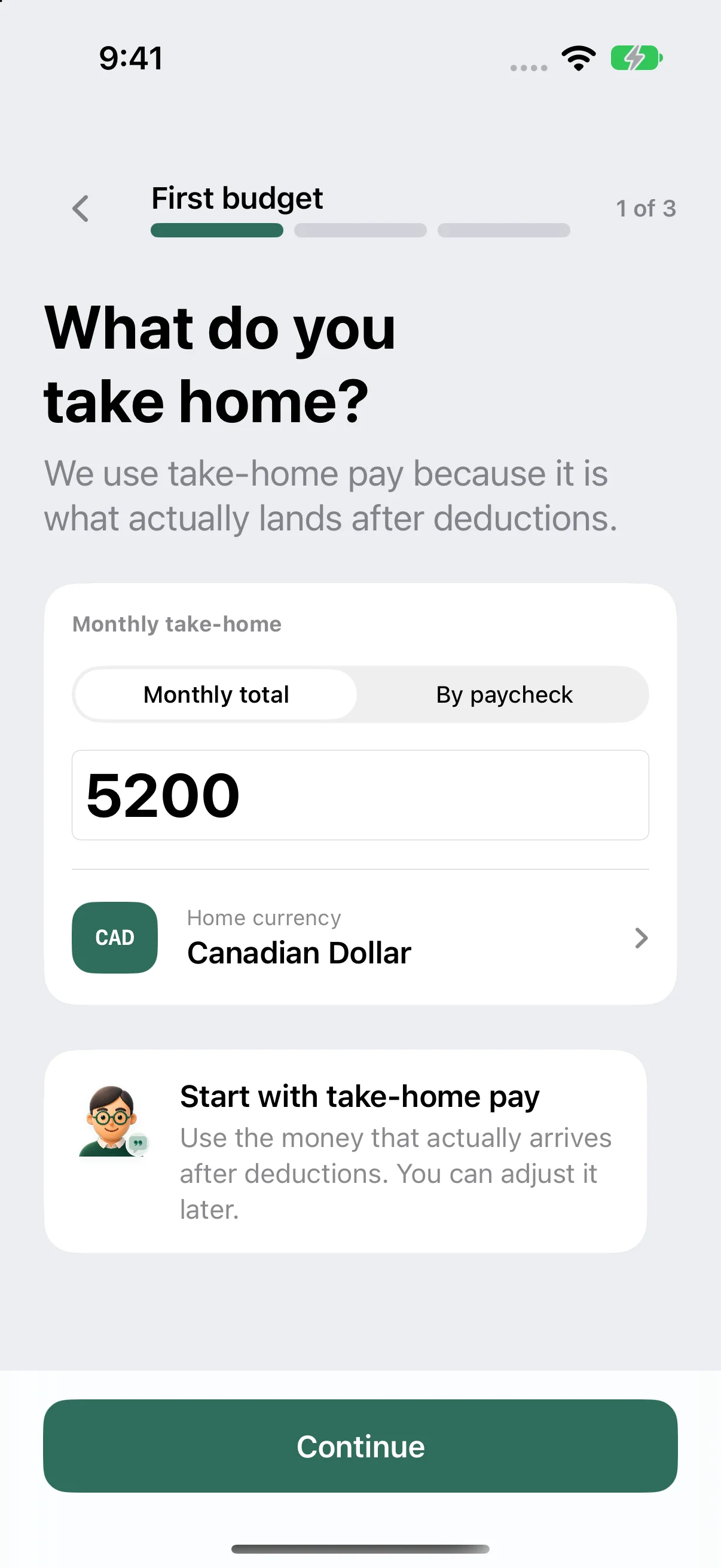
Enter take-home pay as a monthly total or by paycheck. Choose the currency you use.
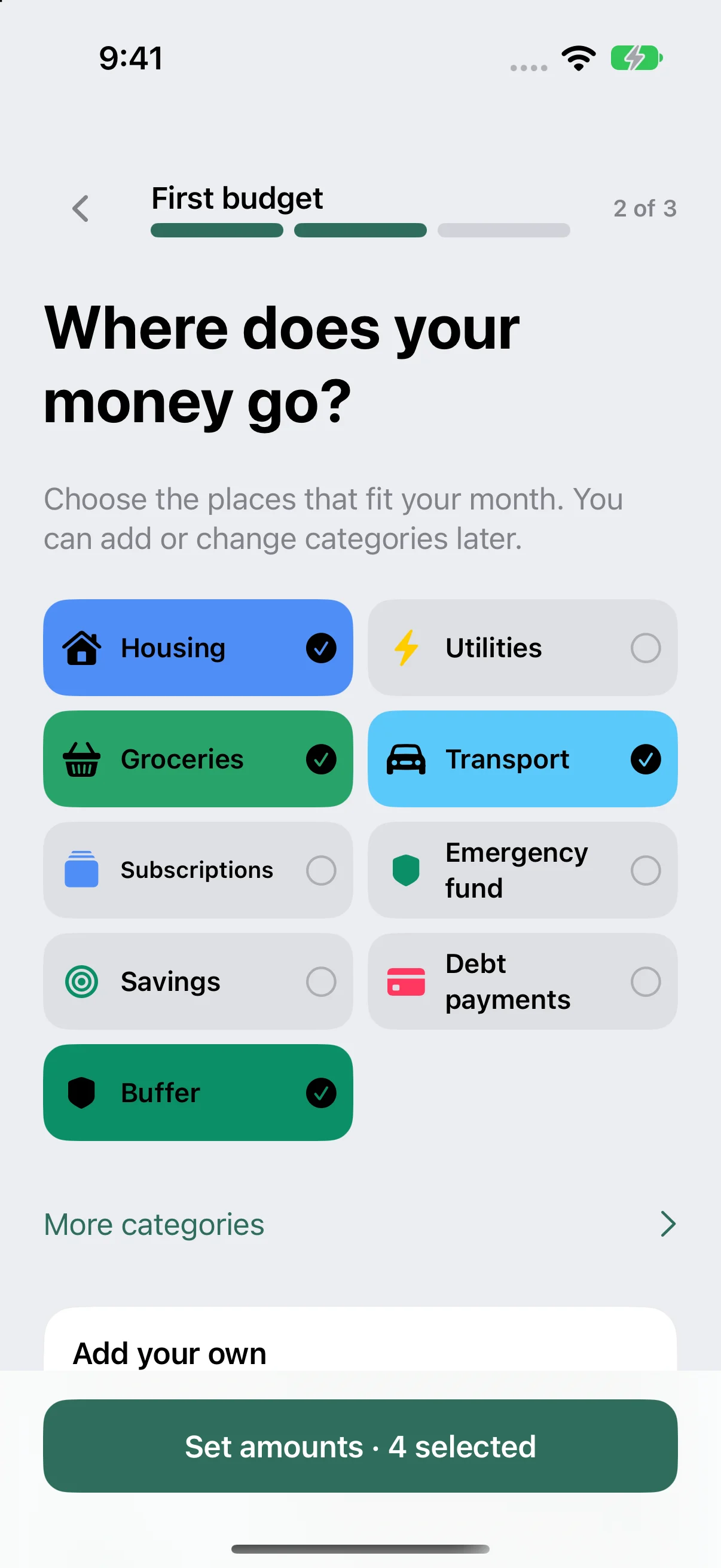
Choose the places your money goes. Add your own category, then adjust it whenever life changes.
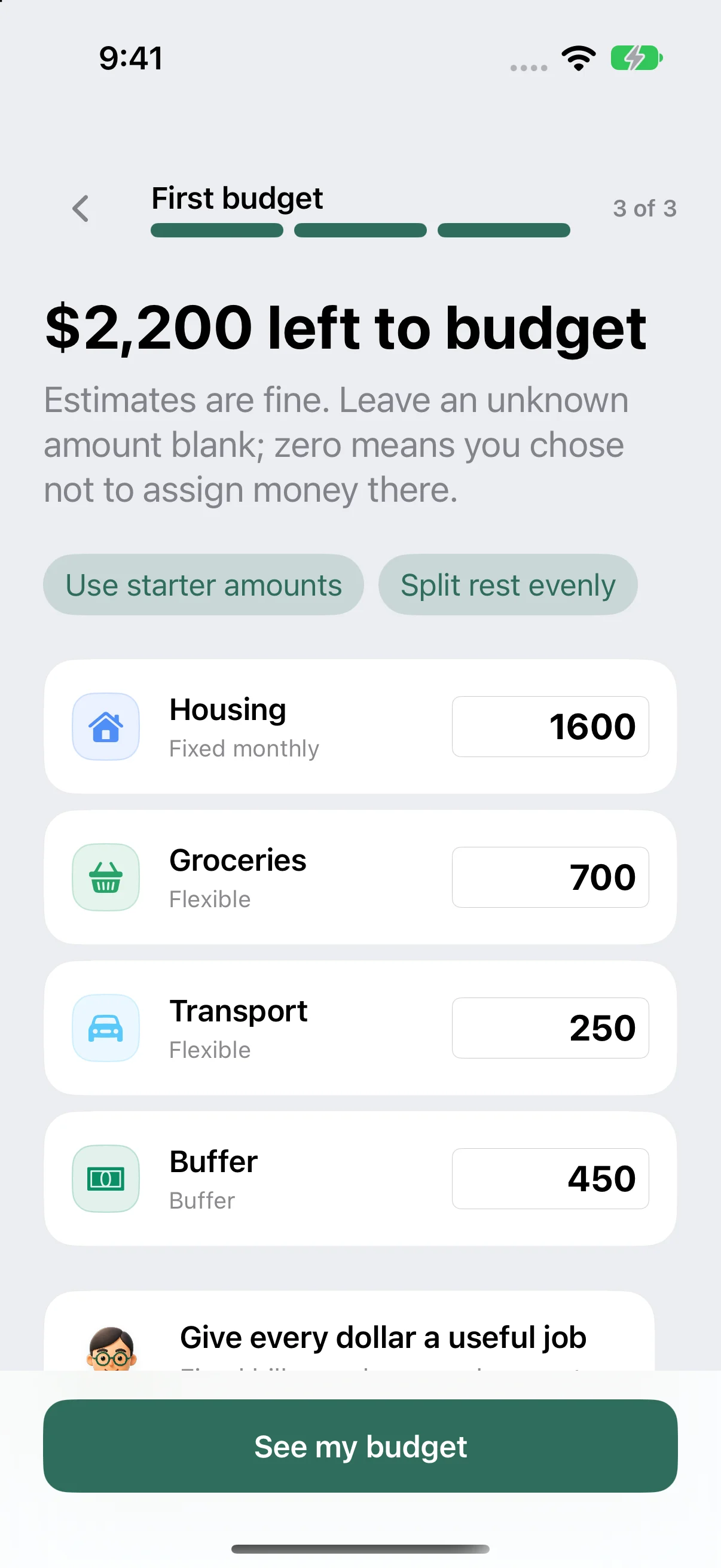
Assign your amounts. Leave an unknown blank; zero means you chose to assign no money there.
Goals and your budgeting approach are optional later in Plan. Latest-design previews use example budgets; store versions may differ.
Today shows Available for planned spending. It includes money for unpaid bills, keeps protected money separate, and holds back confirmed upcoming expenses. It reflects the plan and entries you provide, not a bank balance.
Native on iPhone, iPad, and Mac
Plan in the moment, step back for the bigger picture, and keep today’s decision visible. Alfie adapts the experience to each Apple device.
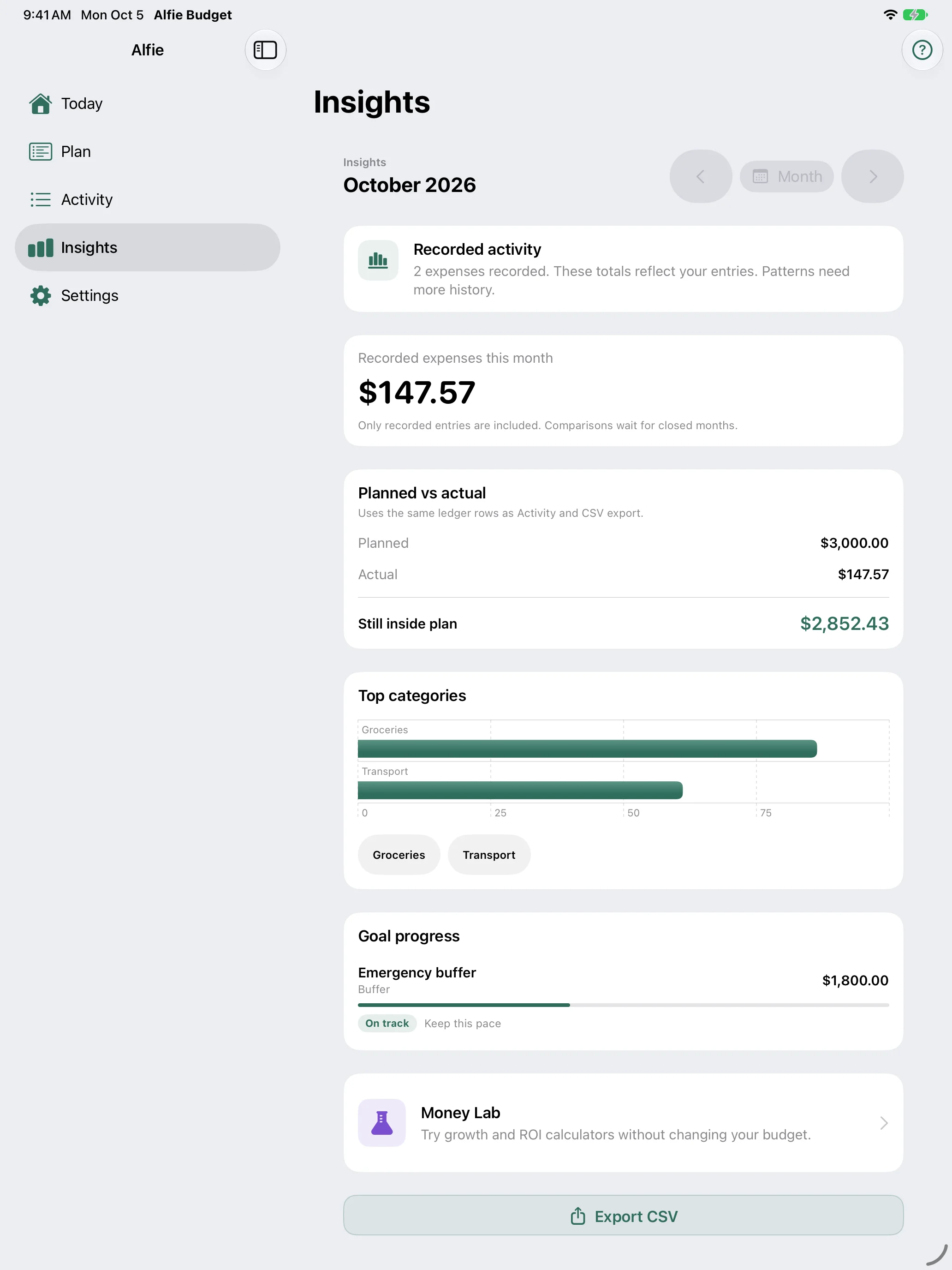
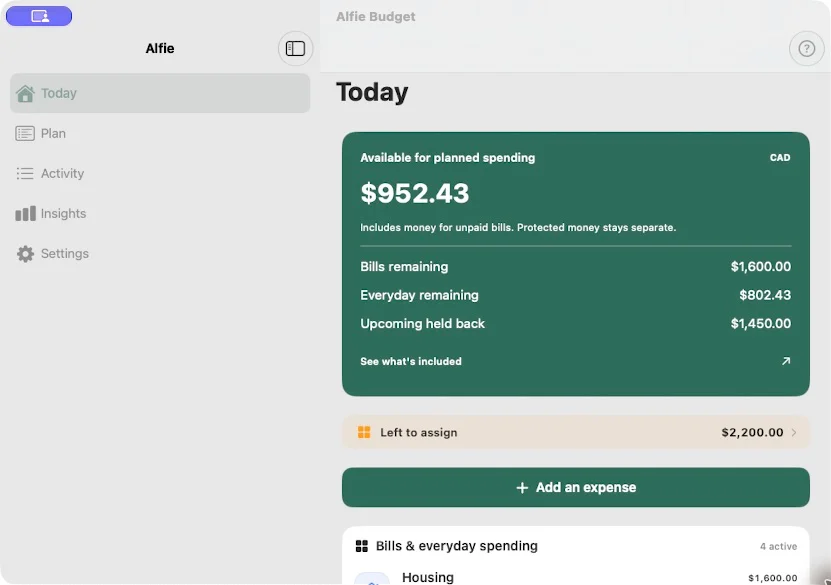
Your Apple budget stays on device and uses your private iCloud storage to sync across your Apple devices. Native latest-design previews use example budgets; store versions may differ.
Private iCloud sync
Alfie stores your budget on device with SwiftData and uses your private iCloud storage to keep it available on your Apple devices. Alfie has no account service or financial-data server.
Apple-only purchase
Apple App Store purchases are handled through StoreKit and unlock Alfie Premium in the Apple edition only. Your Apple budget and purchase do not transfer to Android.
Alfie Basic
Alfie Basic is free forever with 1 active manual budget.
Apple Premium
Premium adds additional budgets, linked income, recurring automation, receipt and barcode capture, CSV import, advanced insights and forecasts.
Alfie for Apple
Alfie Basic is free forever with 1 active manual budget.
$3.99per month
14-day introductory offer for subscribers Apple determines are eligible.
Choose Monthly in the Apple App Store$39.99per year
14-day introductory offer for subscribers Apple determines are eligible.
Choose Yearly in the Apple App Store$149.99once
Choose Lifetime in the Apple App StoreAlfie helps you plan and review what you enter. It does not connect to your bank, sell your data, or provide generative financial advice.
The same private, manual-budgeting outcomes—built for Apple.
| Detail | Apple |
|---|---|
| Availability | Available now |
| Devices | iPhone, iPad, Mac |
| Minimum | iOS and iPadOS 17 or later |
| Storage | On-device storage with SwiftData |
| Sync | iCloud · Apple devices only |
| Billing | Apple App Store · Apple edition only |
| Alfie Basic | Free forever with 1 active manual budget |